
STEM
1.Learning Resources Pixel Art Challenge
Screen-free pixel puzzles teach early coding ideas like patterns and sequencing, a gentle first step for 6-8 year olds.
Kids ages 6-8 are curious about how things work, and coding and robots turn that curiosity into play. They like gadgets that move, light up or respond to commands, and they get a real thrill from fixing a mistake and watching it work. A good gift starts easy, gives quick wins, and leaves room to grow.
Updated October 14, 2026 · Picks refresh weekly from what's selling now
As an Amazon Associate, Bday Reg earns from qualifying purchases.
Screen-free pixel puzzles teach early coding ideas like patterns and sequencing, a gentle first step for 6-8 year olds.

A friendly programmable robot that teaches sequencing and logic through obstacle courses, with no screen needed.

Kids build a color-sensing robot reptile, then code how it reacts, combining hands-on building with first coding steps.
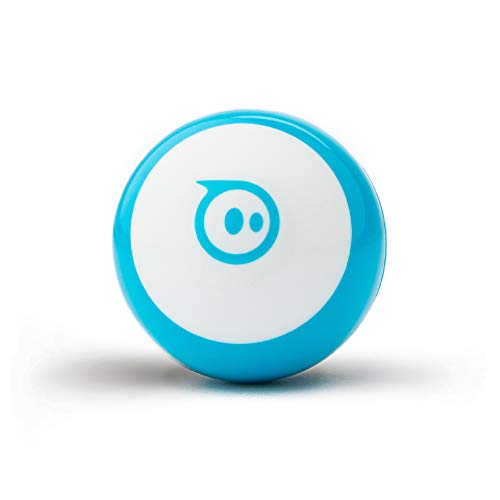
A tiny app-controlled robot ball kids can drive, then program with block coding to run games and challenges.

A true build-and-program robot with drag-and-drop Scratch coding that grows with kids as their skills improve.

478 pieces build five models, including an expressive snail robot, and kids can drive them by remote or app coding.

167 pieces make ten different models, giving young builders lots of engineering play from a single box.

Five projects, including a solar car and a wind-powered car, let 6-8 year olds explore robotics and energy.

Kids build up to 12 solar-powered robots, a hands-on way to learn about energy and simple mechanics.

Build six block robots, then program them with an icon-based app that makes first coding easy for beginners.

Offers 36 builds, 14 of them motorized, for kids who love tinkering and making new robots.

Five engineering projects in one kit give curious builders several robot creations to put together and play with.
Many kids start around age 5 or 6 with picture-based or block-based activities that teach sequencing and logic without any typing. By 7 or 8, many can move to simple visual programming on a tablet or computer. Starting playfully matters more than starting early.
Not always. Many coding toys for this age are screen-free and use buttons, cards or blocks, while others pair with a tablet or computer app. Check the product listing for device requirements and whether the app is free, so there are no surprises on birthday morning.
Kits with many small parts can be frustrating at six, so look for ready-made robots or simple snap-together designs, and expect to help. By eight, many kids can follow picture instructions on their own. Always check the recommended age on the listing before buying.