
STEM
1.Snap Circuits Jr. SC-100 Electronics Kit
Snap-together parts let kids build 100+ working circuits like alarms and radios, with no tools or soldering needed.
Kids 9 to 12 are ready to move past simple blocks and start making things that respond: a robot that follows a line, a game they programmed themselves, or a circuit that lights up. The best gifts give quick early wins, then leave room to get more ambitious as their skills grow.
Updated October 14, 2026 · Picks refresh weekly from what's selling now
As an Amazon Associate, Bday Reg earns from qualifying purchases.
Snap-together parts let kids build 100+ working circuits like alarms and radios, with no tools or soldering needed.

Kids build a real rolling robot, then program it with drag-and-drop Scratch and move up to Arduino as their skills grow.

A color-sensing robot chameleon that kids build and program themselves, with no screen required.
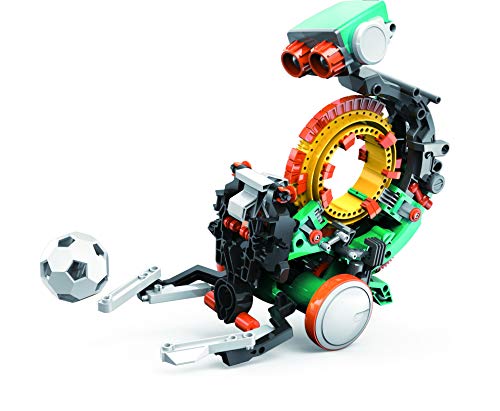
A mission-based robot that kids build and code to throw, lift and kick, which suits older kids who want a challenge.

Twelve solar-powered robot models to assemble without batteries, with plenty of hands-on building for curious tinkerers.

Kids build 20+ electronic arcade-style games, learning circuits by making something they can play with friends.

A logic game where kids crack code puzzles and learn cybersecurity basics, which suits ages 10 and up.

Step-by-step projects let kids code and play their own Python games, with clear visuals and no experience needed.

A smart car kit with app control and three programming options, from block coding to Arduino, for kids ready for real robotics.

A two-player code-guessing game that builds deduction and logic skills, the same thinking coders use to debug.

A trusted No Starch guide where kids learn Python by building text and graphics games, ideal for the older end of the range.

A classic kit with 200+ projects for kids who want to go deeper into electronics after the basics.
Many kids start with visual, block-based coding around ages 6 to 8, so 9 to 12 is a great time to go deeper. At this age kids can handle multistep projects and begin moving toward text-based languages. Pick something that builds on what they already know.
Not always. Some robots and kits work with a tablet or phone, and some coding toys and board games need no screen at all. Check the device requirements in the listing before you buy, since a kit that can't connect to what you have at home won't get used.
Most kits labeled for ages 8 and up are designed for kids this age, though patience and reading skills vary. Choose one with clear step-by-step instructions and plan to be nearby for the first build. A simpler kit that gets finished beats a complex one that doesn't.